NREGA MIS Report: Daily Data Entry & Regional Progress Queries
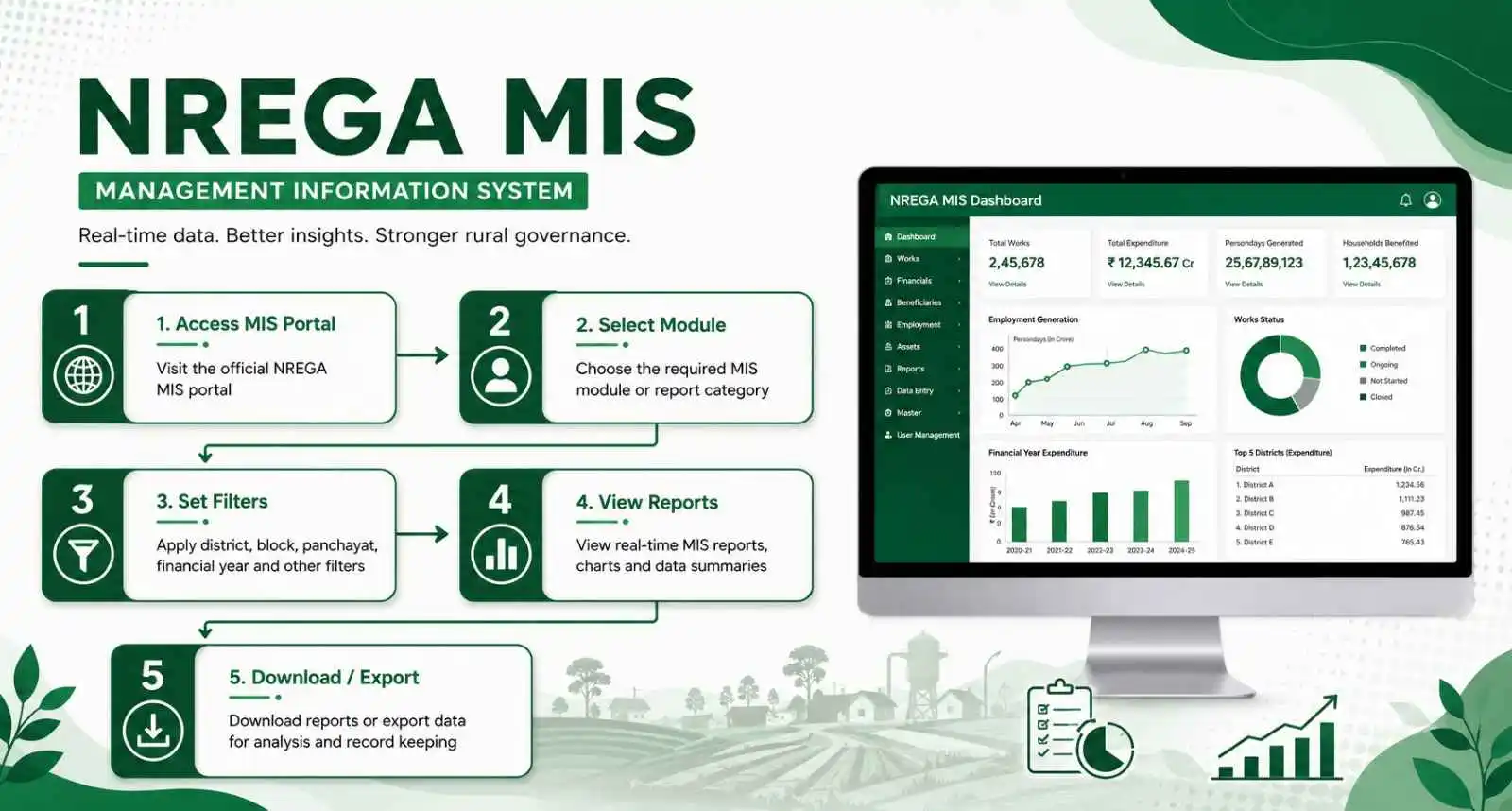
The Mahatma Gandhi National Rural Employment Guarantee Act (MGNREGA) relies on a massive digital infrastructure to ensure transparency, accountability, and timely wage payments for millions of rural workers across India. At the heart of this digital ecosystem is the nrega mis (Management Information System). In this comprehensive guide, we will explore everything you need to know about navigating the official portal, finding specific reports, and understanding how the government tracks rural employment data.
Whether you are a registered worker looking to track your delayed wages, a Gram Panchayat official responsible for daily data entry, or a citizen wanting to audit local development works, this guide covers every aspect of the portal. We have compiled all the essential details to make accessing and understanding these digital records straightforward and completely hassle-free.
- 1.What is MIS in MGNREGA? (Full Form & Meaning)
- 2.Purpose and Role of the NREGA MIS System
- 3.NREGA Gram Panchayat Generate Report & Data Entry
- 4.How to Access NREGA MIS Reports Step by Step
- 5.MIS portal sections explained (R1 to R6)
- 6.NREGA MIS Login: Official Data Entry Portal
- 7.Common Problems, Ground Reality & Troubleshooting
- 8.Impact of VB-G RAM G on MIS Portal
- 9.Frequently Asked Questions (FAQs)
- 10.Why MIS Is Important for Transparency
What is MIS in MGNREGA? (Full Form & Meaning)
If you are wondering about the exact meaning, the full form of MIS is Management Information System. In the context of the rural employment guarantee scheme, it is the centralized, online database maintained by the Ministry of Rural Development, Government of India. This digital platform acts as the single source of truth for all activities related to the scheme.
The primary meaning and purpose of this system is to digitally record every single aspect of the program. This includes the registration of new households, the issuance of job cards, daily attendance marking through the NMMS mobile application, the generation of electronic muster rolls, and the final processing of wage payments through the Direct Benefit Transfer (DBT) route. Without this digital backbone, managing a scheme of this scale would be practically impossible. Every time a worker completes a day of labor, the data is entered into this system by local officials, creating a transparent public record.
Purpose and Role of the NREGA MIS System
The core purpose of the nrega mis database is to establish an unshakeable foundation of transparency and accountability in rural employment schemes. Before the digital era, manual registers were prone to tampering, leading to fake job cards and misappropriated funds. The digital transition fundamentally solved these critical issues by creating a centralized ledger that anyone can audit.
Furthermore, the system is designed to streamline the workflow between the Gram Panchayat, the Block Program Officer, and the state and central finance departments. By automating the generation of electronic muster rolls and Fund Transfer Orders, the system significantly cuts down the administrative delays that previously plagued wage disbursement. It also provides high-level policymakers with real-time analytics to monitor scheme performance across different states.
The transition to a digital ledger has successfully eliminated administrative leakages and streamlined transactions directly to workers.
How NREGA MIS Is Linked With Other NREGA Services
The centralized database does not operate in isolation; it is deeply interconnected with every other service related to the employment guarantee scheme. It acts as the central hub that processes inputs and pushes outputs to various other digital platforms.
For instance, it is directly linked to the NREGA Job Card list database, instantly reflecting any new registrations or cancellations. It receives daily real-time data from the National Mobile Monitoring Software (NMMS) app used for capturing attendance. Crucially, it interfaces seamlessly with the Public Financial Management System (PFMS) and the National Payments Corporation of India (NPCI) to execute the Aadhaar Based Payment System (ABPS) for direct wage transfers. You can verify this integration by visiting the official NREGA national portal.
Who Can Use MIS Data
The beauty of the transparency mandate is that the data is not locked behind closed doors. The public reports are designed to be utilized by a wide variety of stakeholders for different purposes.
Rural workers use the data to verify their attendance and track their wage payments. Gram Panchayat leaders use the reports to plan future development works and monitor ongoing projects. Independent journalists, non-governmental organizations, and social auditors rely heavily on this data to ensure the scheme is being implemented fairly, to highlight discrepancies, and to hold local authorities accountable for the funds allocated to their regions.
NREGA Gram Panchayat Generate Report & Data Entry
At the grassroots level, the Gram Panchayat is the primary node for data entry. Authorized officials, such as the Gram Rojgar Sahayak or the Panchayat Secretary, log into the secure data entry module to perform their daily duties. Their responsibilities include registering new households, allocating work to those who demand it, generating electronic muster rolls for active worksites, and uploading daily attendance captured via the NMMS application.
On the other hand, the generate report functionality is a public-facing feature. It allows citizens, researchers, and social auditors to extract the entered data into readable formats. Through this feature, one can generate comprehensive lists of registered workers, view the physical progress of infrastructure projects in the village, and track financial expenditures without needing any special administrative login credentials.
To help you quickly locate the exact reports generated at the Gram Panchayat level or find specific data entry records, you can use our interactive NREGA MIS Report Finder tool below. Simply click on the tab that matches your requirement to see exactly where you need to look on the official portal.
State-Wise MGNREGA MIS Reports 2026
The digital infrastructure is standardized across the entire country, meaning the reporting format remains consistent whether you are checking data for a village in Uttar Pradesh or a panchayat in Tamil Nadu. The state-wise reports provide a macro-level view of the scheme's performance, allowing for comparative analysis between different regions.
By selecting different states from the dropdown menu, researchers and policymakers can evaluate metrics such as the total number of active workers, the average days of employment provided per household, and the efficiency of wage disbursements. This localized data is crucial for the central government to allocate funds accurately and address regional disparities in employment demand.
How to Access NREGA MIS Reports Step by Step
Accessing the public reports is a straightforward process designed to be user-friendly for all citizens. To view the data for your specific region, follow these carefully outlined steps to navigate the official government portal effectively.
First, open your web browser and visit the official Mahatma Gandhi NREGA web portal homepage.
Scroll down the homepage until you locate the section labeled "Reports" and click on it.
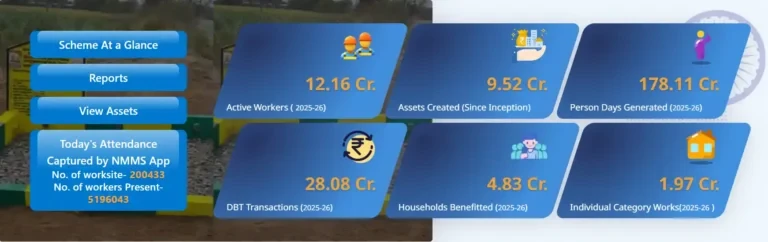
Step 1 & 2: Click on the "Reports" option on the NREGA home page
You will be redirected to a security checkpoint page designed to prevent automated scrapers from overloading the government servers.
Solve the simple math equation presented in the Captcha code box and click on the "Verify Code" button.
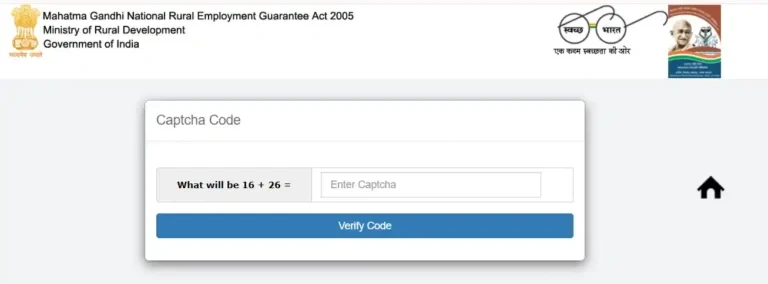
Step 3 & 4: Complete the Captcha math verification to gain access
Once verified, a new page will load where you must select the Financial Year (for example, 2025-2026) and click your respective State Name from the listing of states.
After selecting your state, the comprehensive dashboard displaying all reports categorized from R1 to R30 will appear on your screen.
Navigate through the categorized sections (R1 to R6) and click on the specific link you need, such as Job Card Register or FTO Status, to view the detailed records for your district, block, and panchayat.
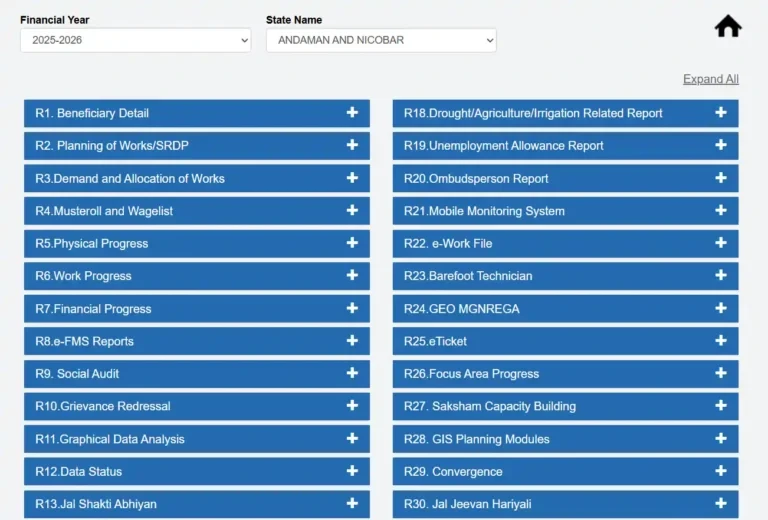
Step 5, 6 & 7: Access and navigate the comprehensive reports dashboard
MIS portal sections explained (R1 to R6)
The public reports dashboard is organized into numbered sections (R1 to R6) to help users find specific records easily. Below is a quick-reference table summarizing the contents of each section, who it is most useful for, and who can access it. Following the table, you will find a detailed breakdown of what reports are in each section.
| Section | What it contains | Most useful for | Public access |
|---|---|---|---|
| R1 | Job card data, household registration, employment register, worker details | Verifying job card status and total days worked | Yes — public |
| R2 | Work demand, muster roll, daily attendance, NMMS photo records | Checking if attendance was marked and muster roll is active | Yes — public |
| R3 | Financial progress, FTO status, wage payments, delayed payment data | Tracking payment status and identifying delays | Yes — public |
| R4 | Physical work progress, expenditure reports, work completion status | Monitoring whether a project is on track or completed | Yes — public |
| R5 | IPPE data, individual beneficiary works, asset creation reports | Checking assets built in your village (ponds, roads, sheds) | Yes — public |
| R6 | Full registers — work register, employee register, panchayat-level records | Complete panchayat-level monitoring and social audit | Yes — public |
| Data Entry | Upload worksite data, authorize wage lists, manage records | Government officials only — data entry operators and officers | Officials only |
Detailed Breakdown of MIS Portal Sections
For a deeper look into the specific reports generated in each of these sections, let's explore what data they actually store and how citizens can use them:
R1: Beneficiary Details
This section is entirely dedicated to worker registration. It contains the complete Job Card Register, which lists every registered household, the names of individual workers, their demographic details, and their unique registration numbers. It also houses the Employment Register, which tracks the total number of days a worker has been employed during the financial year.
R2: Planning of Works, Demand, Allocation & Muster Roll
This crucial section tracks the actual labor deployment. Here, you can find the list of workers who have demanded work, the worksites they have been allocated to, and the electronic muster rolls. It is also the section where you can check the daily attendance alerts uploaded from the worksites.
R3: Work and Payment Details
This section connects the labor performed to the financial compensation. It is arguably the most important section for workers, as it contains the consolidated report of payments, including the generation and processing status of Fund Transfer Orders. If you want to check your NREGA payment status online, the data originates from this module.
R4: Fund Management System (e-FMS)
This section is primarily for tracking the broader financial flow at the block and district levels. It provides reports on the funds received, the administrative expenses incurred, and the overall wage disbursement statistics.
R5: IPPE (Intensive Participating Planning Exercise) & Asset Register
This module focuses on the physical infrastructure created under the scheme. It contains the Asset Register, which lists completed projects like water conservation structures, rural connectivity roads, and land development works, providing a tangible measure of the scheme's impact on the village.
R6: Registers and Work Progress
This section provides comprehensive registers that summarize the progress of ongoing projects. It includes the Work Register, which details the estimated cost, the actual expenditure, and the current completion status of every sanctioned project in the Gram Panchayat.
NREGA MIS Login: Official Data Entry Portal
While the reports discussed above are available to the general public, the actual entry and modification of this data require authorized access. The official data entry portal is strictly restricted to designated government officials, such as the Panchayat Secretary, the Block Development Officer, and state-level administrators.
These officials are provided with secure credentials, including specific user IDs and passwords, tied to their operational jurisdiction. They must log in through the secure gateway to perform administrative tasks. This restricted access ensures the integrity of the data and prevents unauthorized alterations to job cards, muster rolls, or payment orders.
Accessing the data entry dashboard requires verified login credentials. Citizens do not need a login to view public reports.
Common Problems, Ground Reality & Troubleshooting
Despite the robust digital framework, discrepancies can sometimes arise between what is recorded in the official database and the actual situation on the ground. Understanding these potential gaps is important for social auditors and vigilant citizens.
Difference Between MIS Data and Ground Reality
Syncing Delays
A worker might have completed their shift, and their attendance might have been captured on the NMMS app, but due to poor internet connectivity at the rural worksite, the data might not immediately reflect on the public portal.
Aadhaar Accounts
A frozen Aadhaar-linked account might result in the portal showing a successful Fund Transfer Order generation, while the worker has not physically received the money in their hands.
Common Problems Faced While Using Portal
Users, both public citizens and government officials, occasionally encounter technical difficulties while navigating the platform. Being aware of these common issues can save you time and frustration.
Server Overloads
High traffic volumes at the end of the financial year or during peak wage disbursement cycles can cause slow loading or page timeouts.
Expired Captchas
The math equation captcha page may expire if a user takes too long to solve it, requiring a page reload.
Historical data from several years ago may occasionally be archived on the portal, requiring specific navigation paths to find.
Important Tips for Using MIS Reports
Pro Tips for Navigating the Portal:
- Always ensure you have selected the correct Financial Year from the dropdown menu.
- Access the portal during early morning or late evening hours when official data entry loads are lighter.
- Keep your Job Card number handy and use Ctrl+F to find your name instantly inside large village files.
Impact of VB-G RAM G on MIS Portal
During the 6-month transition phase to the new VB-G RAM G database, the MIS portal may occasionally display a "DB-ERROR" or load slowly. Please do not panic; your old Job Card and existing records remain fully valid while the migration is completed.
The transition to the new VB-G RAM G Act brings significant changes to how the MIS portal tracks employment. Most notably, the system has been updated to reflect the new 125-day work guarantee instead of the legacy 100-day limit. This means that the R1 and R2 reports will now automatically calculate your remaining work days based on the expanded limit.
Frequently Asked Questions (FAQs)
Is the public reports portal completely free to access?
Can an ordinary worker edit the data if they find a mistake?
How often is the central database updated?
Why MIS Is Important for Transparency
In conclusion, the digital reporting system is the ultimate safeguard against corruption and inefficiency within the world's largest public works program. By making critical data regarding job allocation, daily attendance, and financial transactions available in the public domain, the government empowers citizens to become active monitors of their own development.
This level of radical transparency ensures that funds intended for rural upliftment reach the actual beneficiaries. It transforms the implementation of the employment guarantee scheme from a closed bureaucratic process into an open, accountable, and citizen-driven initiative, ensuring the core promise of the act is upheld across every village in the nation.